Non-coders. Real products. One sitting.
What could you build by Sunday night?
Bring one rough idea. We'll help you turn it into a working first version — a page, tool, dashboard, or tiny product you can actually open.
/ start by choosing a direction
No card. No install. Start in the browser.
⏱ built in 28:14
"wait you BUILT this?"
Why people show up
Six reasons. One of them is probably yours.
Six honest reasons people show up. If one of them sounds like you, you're in the right place.
Catch up — before colleagues lap you.
AI is in every standup. You've been nodding along, reading threads, watching demos. You haven't actually shipped anything yourself.
Walk into Monday with a real URL, not another "I've been meaning to."
Stop renting tools you could own.
$5 a month for a habit tracker. $9 for journaling. $4 for a tip splitter. Small subscriptions quietly stacking up.
Build the one that bugs you most. One evening of work, yours forever.
Ship the idea you've been holding for months.
It's been sitting in your Notes since November. You think about it. You don't ship it. You're tired of thinking about it.
Get a rough version live this week. Ideas only sharpen once they're real.
See if "building stuff" is even for you.
You don't want to commit to a CS degree to find out if you like making things. You want to try once and decide from a real experience.
30 minutes. One real URL. A clean read on whether this is your thing.
Solve a real friction at work — without learning a framework.
You're not switching careers. You want to fix one specific annoyance Monday morning, not study computer science.
Pick the smallest version of the fix. Build it Saturday. Use it next week.
Stop bookmarking tutorials. Build the thing.
Hours of YouTube on AI building. Tabs of articles you'll read "later." Zero links shipped. The gap between intake and output is uncomfortable.
One real link tonight. Not theoretical. Not bookmarked.
What people build
Different people. Different first products. Same build loop.
The starting point is small. The result feels real: something with screens, states, decisions, and a reason to keep building.
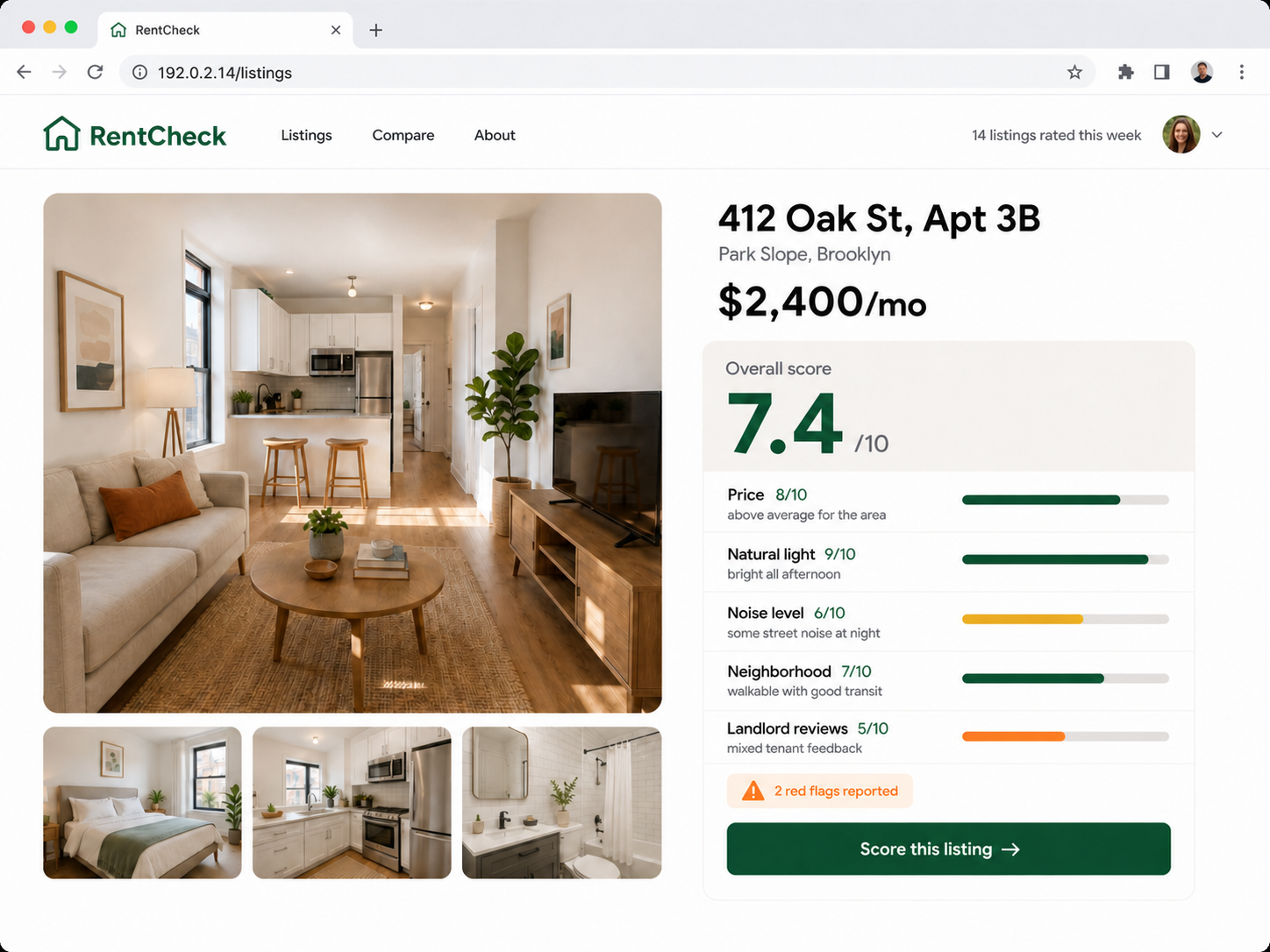
RENTER · APARTMENT SCORING
RentCheck
Score any listing across price, light, noise, and landlord history before you commit. Built from her own apartment hunt.
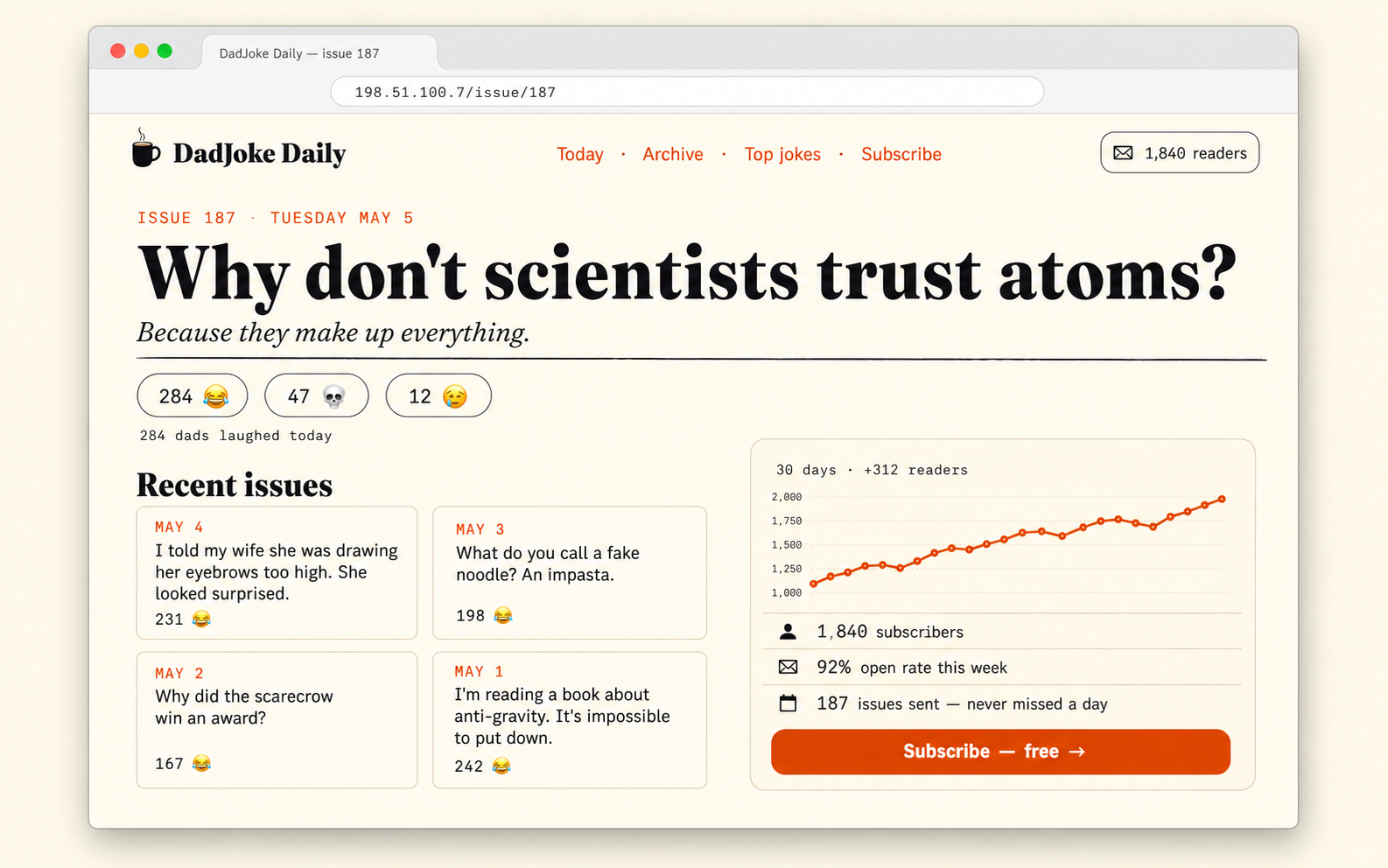
NEWSLETTER · DAILY HUMOR
DadJoke Daily
One tested-bad joke per day, with reactions, an archive, and a tiny growth chart. A fully-shipped little media product.
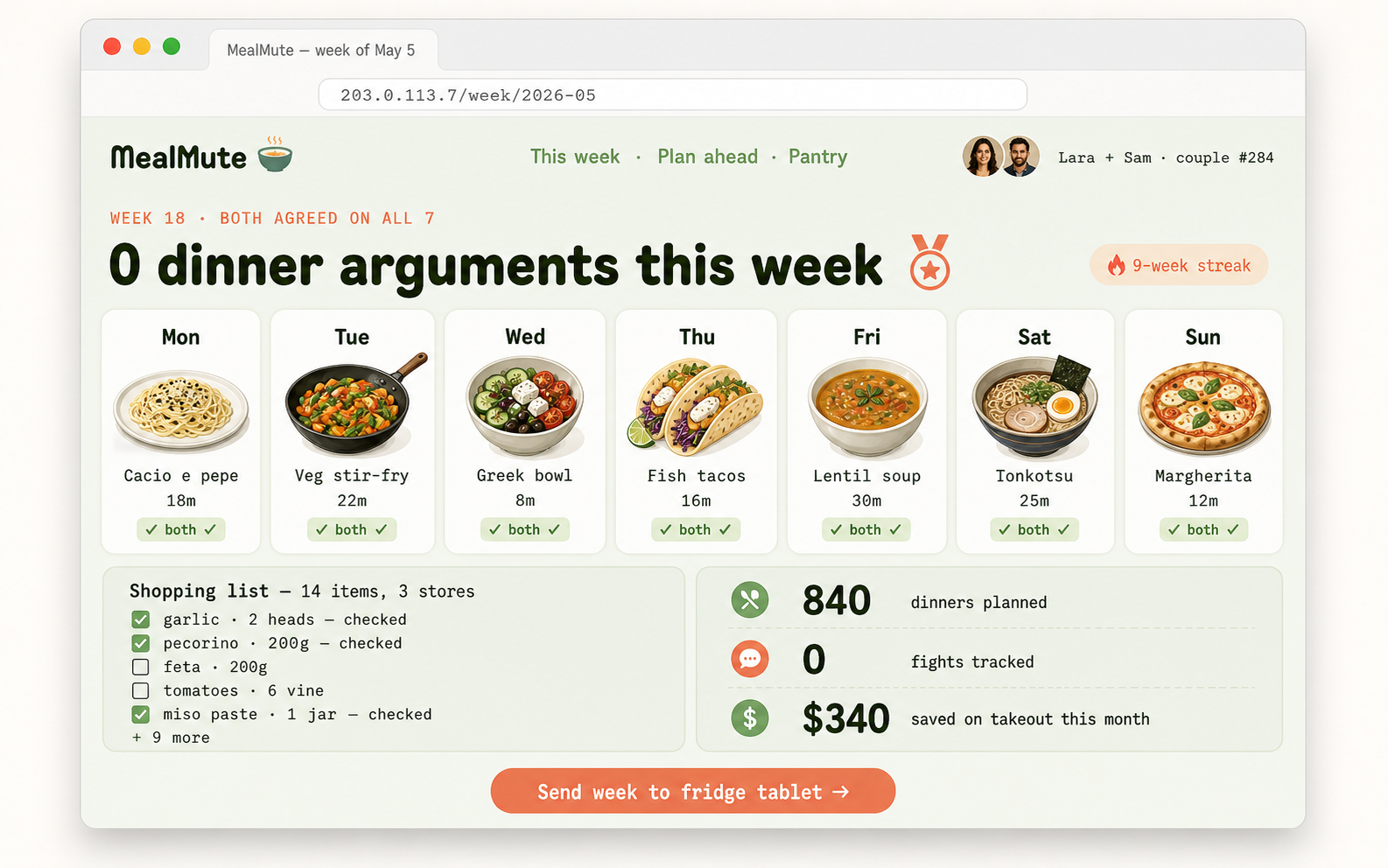
COUPLES · MEAL PLANNING
MealMute
A weekly dinner plan both partners actually agree on. Streaks, shopping list, and zero arguments tracked.
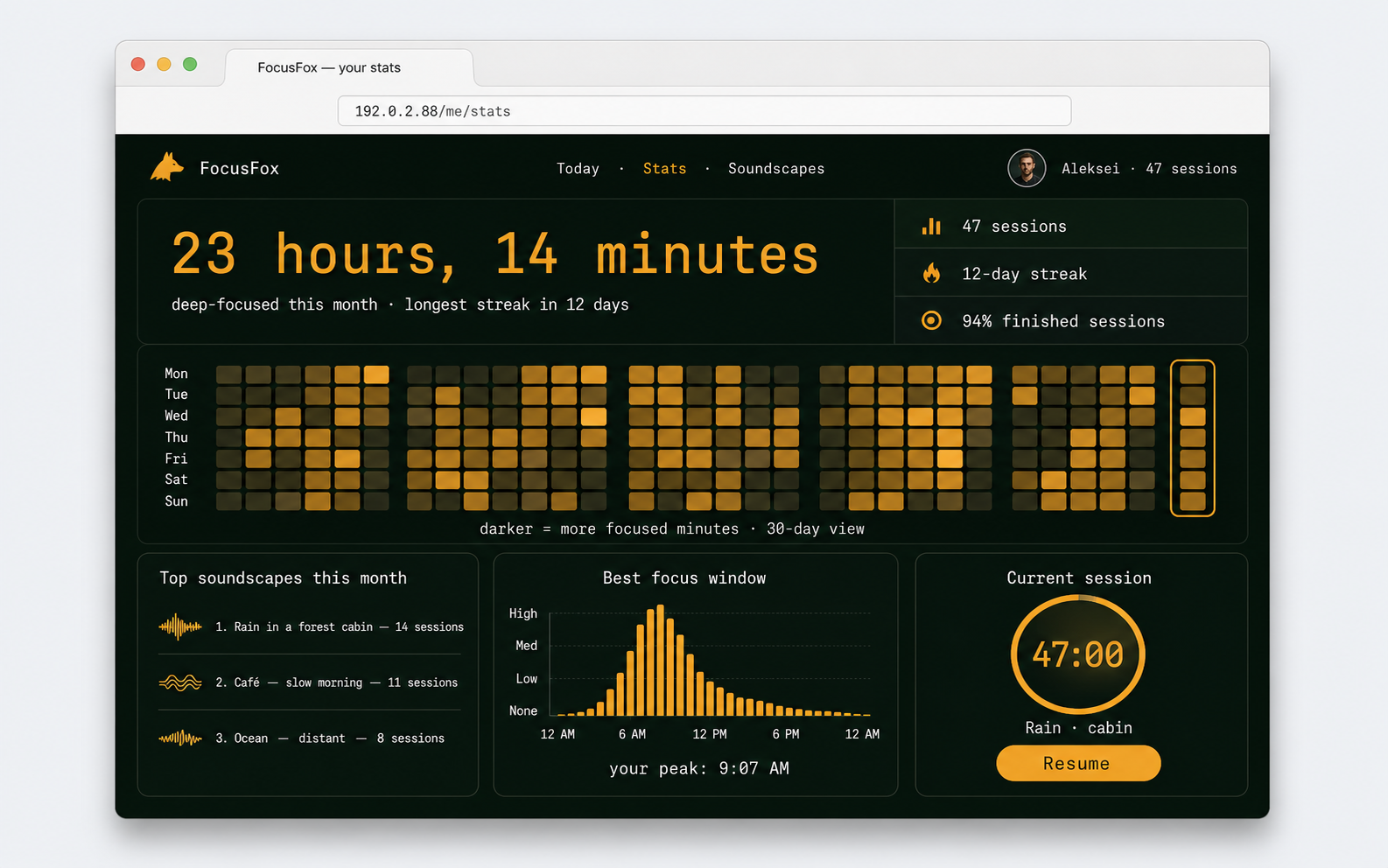
PERSONAL · DEEP WORK
FocusFox
A pomodoro with soundscapes — and a stats dashboard that proves the focused hours are real.
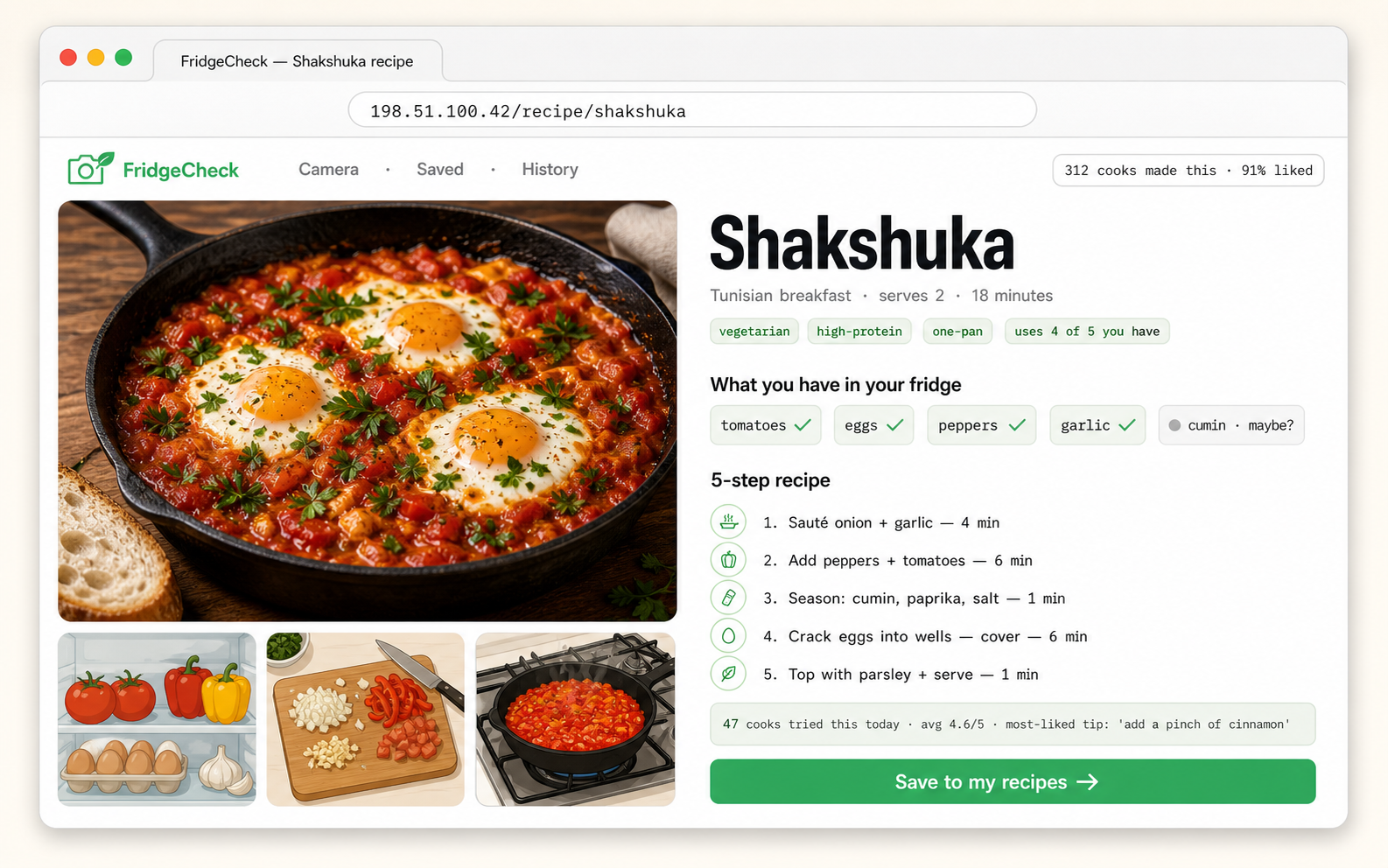
HOME · COOKING ASSIST
FridgeCheck
Photo of the fridge in. A real recipe out — with ingredient match scores and step-by-step instructions.
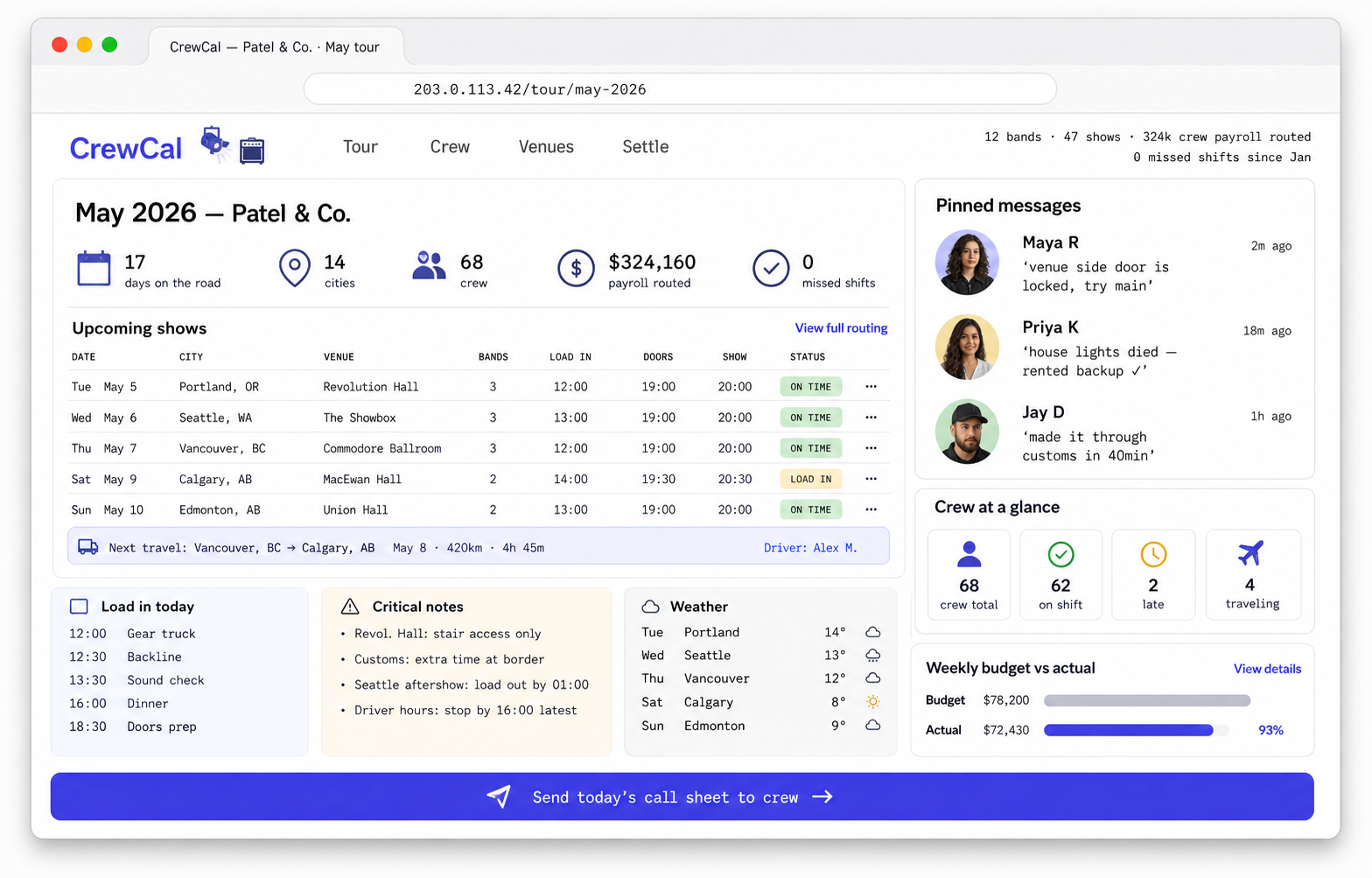
TOURING · OPS DASHBOARD
CrewCal
A working tour-management dashboard for crew schedules, conflicts, and same-day call sheets.
Built from both sides
One person knows how to ship. One person remembers how confusing it feels.
The course is designed by a builder and pressure-tested by a recent beginner, so the hard parts are explained before they become blockers.
 MAX
MAXMAX · BUILDER / INSTRUCTOR
The shipping side.
Max brings the product structure, Claude Code workflow, and the discipline of getting from idea to something usable.
"Half my friends have a product idea sitting in Apple Notes since 2023. I built this to get one of them out."
 ANDY
ANDYANDY · RECENT BEGINNER / REALITY CHECK
The learner side.
Andy keeps the course honest: what is confusing, what sounds obvious to builders, and where non-coders actually freeze.
"Two months ago I was asking what half the buttons meant. The useful part was not learning everything — it was getting one small build to work."
How the guided build works
First, make it work. Then make it better.
The goal is a working first version: clear enough to understand, real enough to open, small enough to improve.
01Bring the rough ideaNo perfect spec. Just the thing you keep thinking about.
02Shape the buildTurn vague ambition into a page, tool, dashboard, or product shape.
03Make the first versionThe first goal is existence. Polish comes after.
04Fix the weird partsCopy, layout, logic, missing states, broken assumptions.
05Open the working resultEnd with something you can see, click, and keep improving.
You do not need to write production code first. You need to learn how to guide the build, inspect the result, and make better decisions.
The first version is not the final product. It is the moment where the idea stops being abstract and becomes editable.
The course covers the exact moments people quit. Bad setup, vague prompts, broken layouts, first publish — that's where the lessons live.
Built in one sitting
What used to take weeks. Now: an evening.
Nine builds. Same tool. Real time estimates against actual time, money, or "I never got around to it."
Personal landing page
One page. Your name, what you do, links that matter. Sendable in a DM.
30 min
vs ~2 weeks figuring it out
Portfolio grid
Six to twelve projects in a clean grid. Replaces the Notion page nobody opens.
2 hrs
vs months of "I'll get to it"
Habit tracker
Tap a square once a day. Watch the streak grow. Don't break the chain.
1 evening
vs $5/mo apps forever
Tip / split / convert calculator
One job, done well. Bookmarked on your phone, opened weekly.
45 min
vs paid spreadsheet ($39)
Drop / launch page
Countdown, one bold message, an email field. For the moment that matters.
1 hr
vs designer + dev (~$1k)
"Which one are you" quiz
Six questions in, a shareable card out. Friends do it, repost, you laugh.
1 evening
yours, not Buzzfeed's
Spin picker / decision wheel
Type the options, spin it, end the dinner argument. Send link, done.
30 min
$0, paste in the chat
Bullets → social post
Three notes in, one ready-to-publish caption out. You pick the tone.
1 hr
vs $20/mo custom GPT
Mini reaction game
One button, one timer, one leaderboard. People play it more than you'd think.
90 min
free URL, runs forever
Pricing
Start with the first working version. Continue when it feels real.
The first session proves the workflow. The paid tiers help you keep building without getting lost again.
Free
$0
- Milestone 0
- First guided build
- No card required
- See your idea running before you pay anything
Light
$99
- Full course materials
- Self-paced path
- All starting routes
- No community chat
Main
$199
- Full course
- Discord support
- Help when stuck
- Best for first real launch
Premium
$499
- Everything in Main
- Personal mentoring
- Small cohort
- Project feedback
FAQ
Before you start.
Is this still a course?
Yes — but structured around doing, not watching. The first thing you do is build something.
Do I need to write code myself?
You do not need to start by writing production code. You need to learn how to guide Claude Code, understand what changed, and improve the result.
What if I get stuck?
The course is designed around the places people freeze: setup, unclear scope, vague prompts, broken layouts, and getting it online.
Can I start without a polished idea?
Yes. A rough idea is better. The first step is making it small enough to build.
Is the first version production-ready?
No. The first version is a working prototype. The course then shows how to improve, stabilize, and expand it.
What happens after the first session?
You can stop with the first working version or continue into the full course path to build something more serious.
Stop saving the idea
Shape the first version. Open it. Then decide if you want to keep building.
No perfect idea. No video queue. Start by choosing what you could build today.